

Latest Version
More About Epson Expression Home XP-210 Resetter
Epson Expression Home XP-210 Resetter: A Comprehensive Guide
If you own an Epson Expression Home XP-210 printer, you may have encountered situations where the printer starts showing error messages such as "Waste ink pad is at the end of its service life" or begins to behave erratically, refusing to print. This problem typically arises when the printer's internal waste ink pad reaches its maximum capacity, a standard occurrence in inkjet printers that accumulate excess ink during the printing process. Luckily, the issue can be resolved by using a resetter, a tool that helps you clear these error messages and restore the printer to its normal function.
What is a Printer Resetter?
A printer resetter is a software tool designed to reset the printer’s internal counters, which track certain maintenance tasks like ink levels, waste ink pad status, and overall printer health. For the Epson Expression Home XP-210, the resetter can help you clear the waste ink pad error and extend the printer's life without needing to replace the waste pads.
Why You Need the Epson Expression Home XP-210 Resetter
The Epson XP-210 has a waste ink pad that absorbs ink during print head cleaning cycles. Over time, this pad gets saturated, triggering error messages to prevent the printer from overusing ink and potentially causing leakage. However, replacing the waste ink pads can be costly and inconvenient. Instead of immediately seeking professional repairs or buying a new printer, using a resetter tool offers a more affordable and quicker solution.
How to Use the Epson Expression Home XP-210 Resetter
Here’s a step-by-step guide to reset your Epson Expression Home XP-210:
1. Download the Epson Resetter Software
- To begin, you will need to download the resetter software for the Epson XP-210. Various third-party websites offer this software, but be cautious about downloading from unreliable sources to avoid potential malware or viruses.
2. Install the Resetter Tool
- Once you've downloaded the software, install it on your computer. You may need to run it as an administrator depending on your operating system. Ensure that the Epson XP-210 printer is connected to your computer.
3. Launch the Resetter Tool
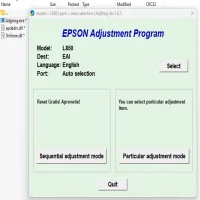
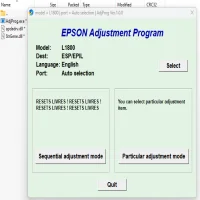
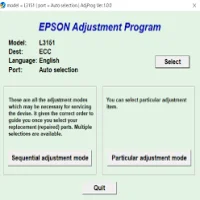
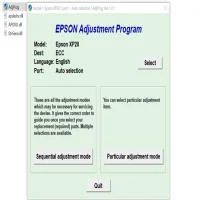
- Open the Epson XP-210 resetter software. If you’ve successfully installed it, you should see the tool’s interface on your screen.
4. Enter the Service Mode
- To access the service mode on your printer, follow these steps:
- Turn off your printer.
- Hold the "Stop" or "Reset" button on the printer and turn it on while keeping the button pressed. Release the button once the printer powers up.
5. Run the Resetter Program
- In the software interface, click on "Waste Ink Pad Reset" or a similar option. The tool will detect the waste ink pad error and prompt you to reset the counter. Proceed with the reset.
6. Complete the Reset
- After clicking the reset option, the tool will reset the waste ink counter. Once the reset is complete, close the software and turn off your printer.
7. Test the Printer
- Power up your Epson XP-210 and perform a test print to ensure everything is working correctly. If the reset was successful, the error message should be gone, and your printer should be ready for use.
Key Considerations When Using a Resetter
While the Epson Expression Home XP-210 resetter tool can help resolve the waste ink pad issue, it is important to keep in mind that this is only a temporary fix. The waste ink pad will continue to accumulate ink over time, and the resetter can only clear the error message; it does not physically empty or replace the waste ink pad.
When to Replace the Waste Ink Pad
Although using the resetter can give you more time with your printer, eventually, the waste ink pad will need to be replaced. If you notice any ink leakage around the printer or the problem reoccurs frequently after resetting, it may be time to seek professional servicing to replace the pads.
Conclusion
The Epson Expression Home XP-210 resetter is a valuable tool for resolving the waste ink pad error without costly repairs or replacements. By following the steps above, you can continue using your printer without interruptions. However, remember that resetting the printer does not fix the underlying issue of the ink waste pads. It's always a good idea to keep an eye on the printer's performance and seek professional help when needed.
Rate the App
User Reviews



Popular Apps