
Latest Version
Download NowMore About Epson L565 Adjustment Program ( Resetter )
Epson L565 Adjustment Program (Resetter): An Ultimate Guide
The Epson L565 is a popular multi-functional inkjet printer known for its efficient printing, scanning, and copying capabilities. However, over time, like many other printers, it can encounter errors related to its internal counters, particularly the waste ink pad counter. This is where the Epson L565 Adjustment Program (often referred to as a Resetter) comes in, offering an effective solution to reset the printer’s internal counter.
What is the Epson L565 Adjustment Program (Resetter)?
The Epson L565 Adjustment Program, commonly known as a resetter, is a software utility designed to restore the printer’s factory settings. It specifically resets the waste ink pad counter, which keeps track of the amount of ink absorbed by the printer’s waste ink pads during the printing process.
When the counter reaches its limit, the printer will stop functioning and display an error message such as "Parts inside your printer are at the end of their service life." This is an indicator that the waste ink pads are full and need servicing. The resetter allows you to clear this error and continue printing without the need for physical servicing.
Why Do You Need the Adjustment Program?
The Epson L565, like many other Epson printers, is designed with a built-in counter that tracks the amount of ink that goes into the waste ink pads. While this is useful for maintaining the printer’s functionality, it can cause issues if not addressed. Over time, as the printer operates, ink is deposited into waste ink pads, and the counter gradually increases.
Once the counter reaches its limit, the printer will display an error, and you will no longer be able to print. The adjustment program is designed to reset this counter and avoid the need for an expensive repair or the replacement of the waste ink pads.
How Does the Epson L565 Adjustment Program Work?
The Adjustment Program works by connecting the printer to your computer and accessing its internal settings through a specific procedure. Here’s how the process typically works:
-
Download the Software: You need to download the Epson L565 Adjustment Program from a reliable source. Make sure you get the correct version compatible with your operating system (Windows or Mac).
-
Install the Program: After downloading the program, install it on your computer. Follow the on-screen instructions to complete the installation.
-
Connect the Printer: Connect your Epson L565 printer to your computer via USB cable. Make sure the printer is powered on.
-
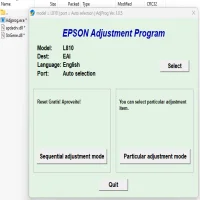
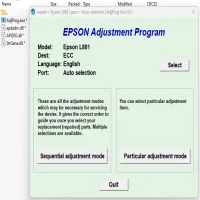
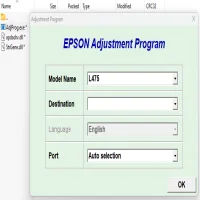
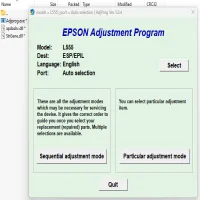
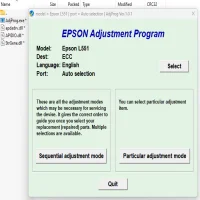
Run the Adjustment Program: Launch the software and select the appropriate model (Epson L565) from the list of available printers.
-
Reset the Waste Ink Counter: From the program interface, navigate to the "Waste Ink Pad Counter" option. Click on "Check" to see the current status of the counter. If the counter has reached its limit, select "Reset" to clear the error.
-
Complete the Reset: Once the reset is completed, restart your printer. The waste ink pad counter will be set back to zero, and your printer should be functional again.
Important Considerations
-
Caution: While the adjustment program is a convenient tool, it’s important to use it carefully. Incorrect use can potentially damage the printer or void its warranty. Always follow the instructions carefully.
-
Waste Ink Pads: The adjustment program does not physically address the waste ink pads themselves. It only resets the counter. If your printer has been in use for a long time, it’s a good idea to replace or clean the waste ink pads to avoid ink leakage.
-
Compatibility: Ensure that the adjustment program you download is specifically for the Epson L565 model. Using software designed for other models can lead to malfunction.
-
Legal and Warranty Considerations: Be mindful that using resetter software may void the warranty or violate the manufacturer’s terms of service. It’s advisable to check with Epson before using such software on a printer under warranty.
Conclusion
The Epson L565 Adjustment Program (Resetter) is an essential tool for users who encounter waste ink pad counter errors and wish to continue using their printer without sending it for repair. By resetting the internal counter, you can avoid the cost and inconvenience of service visits. However, always proceed with caution, as incorrect usage may lead to unwanted consequences. It is recommended that you maintain your printer regularly and consult professional technicians when necessary to ensure its longevity and optimal performance.
Rate the App
User Reviews

Popular Apps








