
Latest Version
Download NowMore About Epson L561 Adjustment Program( Resetter )
Epson L561 Adjustment Program (Resetter): A Comprehensive Guide
The Epson L561 is a multifunctional inkjet printer, part of the Epson EcoTank series, renowned for its efficient and cost-effective printing. However, like most printers, it can encounter maintenance issues over time, one of the most common being the "waste ink pad" issue. When the printer detects that the ink pads are full, it triggers an error message that stops the printer from working until the issue is resolved. To address this problem, many users turn to the Epson L561 Adjustment Program, commonly known as the resetter. This tool helps reset the printer's internal counter, allowing users to continue printing without encountering the waste ink pad error.
What is the Epson L561 Adjustment Program?
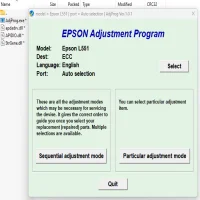
The Epson L561 Adjustment Program is a specialized software designed to reset various internal settings in Epson printers, specifically those related to the waste ink pad counter. This program is crucial for users experiencing issues with the waste ink pad being "full," an error that can stop the printer from functioning properly. The adjustment program allows you to clear the internal counter and resume printing without having to replace the waste ink pads or send the printer to a service center.
Why is the Epson L561 Adjustment Program Needed?
Epson printers, including the L561, are equipped with a counter that tracks the amount of ink absorbed by the waste ink pads during printing. Over time, these pads can become saturated, triggering the error message. While the waste ink pads themselves may not need immediate replacement, the counter must be reset to clear the error. The Epson L561 Adjustment Program helps users do this without professional intervention, providing a simple and efficient solution.
How Does the Epson L561 Adjustment Program Work?
The Epson L561 Adjustment Program works by accessing the printer’s internal software and resetting the waste ink pad counter. Here’s a general outline of how the program works:
-
Download and Install the Program: The first step is to download the Epson L561 Adjustment Program from a trusted source. Once downloaded, install the program on your computer.
-
Connect the Printer: Make sure the Epson L561 printer is connected to your computer and powered on.
-
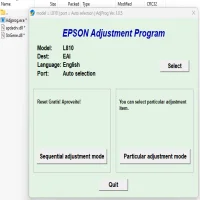
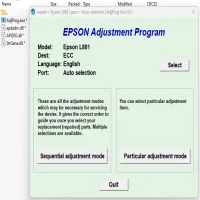
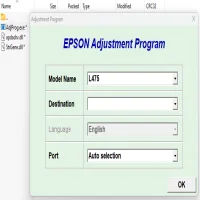
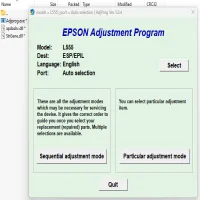
Run the Adjustment Program: Launch the program, and select your printer model from the list of available devices.
-
Reset the Waste Ink Pad Counter: Navigate to the "Waste Ink Pad Counter" option in the program, then follow the prompts to reset the counter. This action clears the warning message and restores the printer to its normal working state.
-
Test the Printer: Once the reset is complete, perform a test print to ensure that the printer is functioning properly.
Is the Epson L561 Adjustment Program Safe to Use?
While the Epson L561 Adjustment Program is effective, it should be used with caution. This software is not officially supported by Epson, and using it may void your warranty or cause unintended issues if not used correctly. It's important to ensure that you download the program from a reliable source to avoid malicious software. Additionally, be aware that resetting the waste ink pad counter doesn't physically clean or replace the waste ink pads. If the pads are indeed saturated, they may need to be cleaned or replaced to avoid potential leaks or further problems.
Alternatives to the Epson L561 Adjustment Program
While the adjustment program offers a quick fix, there are other ways to deal with waste ink pad issues:
-
Manual Cleaning: If you're comfortable disassembling your printer, you can manually clean the waste ink pads. This process involves removing the pads, washing them, and then reinstalling them. It’s a more time-consuming option but can extend the life of your printer without relying on software.
-
Professional Servicing: If you’re unable or unwilling to use the adjustment program, consider having your printer serviced by a professional technician. They can reset the counter and replace the waste ink pads if necessary, ensuring the printer is in optimal condition.
Conclusion
The Epson L561 Adjustment Program is a helpful tool for users experiencing issues with the waste ink pad counter. By resetting the internal counter, users can bypass the error and continue printing. However, it’s important to exercise caution when using the program, as improper use can lead to further issues. Always ensure that your printer is in good condition and consider professional servicing if needed. With proper care and maintenance, the Epson L561 can continue to serve as a reliable, cost-effective printing solution for your home or office.
Rate the App
User Reviews

Popular Apps








