

Latest Version
Download NowMore About Epson Stylus CX3700 Adjustment Program
Epson Stylus CX3700 Adjustment Program: A Complete Guide
The Epson Stylus CX3700 is a reliable all-in-one printer that has been popular among users for its efficient performance in both home and office settings. However, like any printer, it may encounter certain issues over time, such as ink smudging, print quality problems, or error messages. To resolve such problems, one of the most effective tools is the Epson Stylus CX3700 Adjustment Program, which is designed to recalibrate and restore your printer to its optimal performance.
In this article, we'll delve into the Epson Stylus CX3700 Adjustment Program, its features, how to use it, and the common issues it addresses.
What is the Epson Stylus CX3700 Adjustment Program?
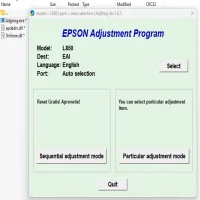
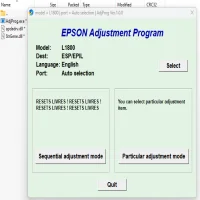
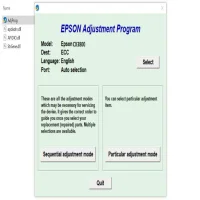
The Epson Stylus CX3700 Adjustment Program is a specialized utility created by Epson for the purpose of resetting the internal settings of the printer. This program is primarily used to fix printer errors, restore the printer’s ink pad counter, and resolve problems related to printhead alignment, ink flow, or paper feed. It is especially useful for fixing error codes like "Waste Ink Pad Full" or "Service Required," which can sometimes leave the printer inoperable without proper adjustments.
The adjustment program is not officially provided by Epson as a standalone download for the public, but it can be accessed through third-party websites. However, users should be cautious about downloading software from non-reputable sources, as it could compromise system security.
Key Features of the Epson Stylus CX3700 Adjustment Program
-
Ink Pad Reset: The primary function of the program is to reset the ink pad counter. Over time, ink pads can fill with ink due to repeated printing, triggering the "Waste Ink Pad Full" error. The adjustment program resets the counter, allowing the printer to continue functioning.
-
Printhead Alignment: The program helps in recalibrating the printhead, ensuring the best possible print quality. Misalignment of the printhead can lead to blurry or streaky prints, which can be fixed with a simple adjustment.
-
Maintenance Functions: The program also includes cleaning options that help clear clogged nozzles in the printhead. This can be helpful if you notice poor print quality due to ink blockages.
-
Paper Feed Adjustment: Sometimes, printers may start having trouble feeding paper correctly. The adjustment program helps calibrate the paper feed mechanism to ensure smooth printing without paper jams.
How to Use the Epson Stylus CX3700 Adjustment Program
To effectively use the Epson Stylus CX3700 Adjustment Program, follow these steps:
1. Download the Adjustment Program
Since Epson does not provide the program directly to consumers, you will need to download it from a third-party website. Make sure you are downloading from a trusted source to avoid any malware or viruses.
2. Install the Program
Once you’ve downloaded the file, install the program on your computer by following the on-screen instructions. It may ask you to connect the printer via USB cable during the installation process.
3. Run the Program
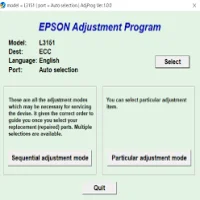
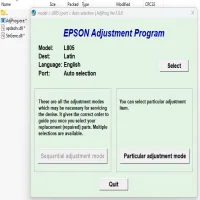
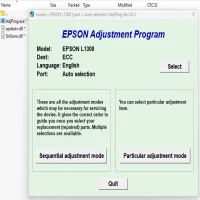
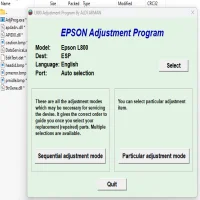
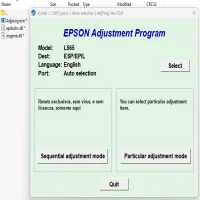
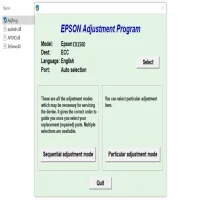
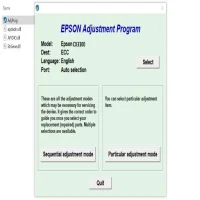
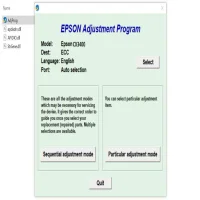
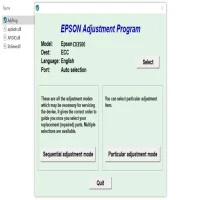
After installation, open the Epson Stylus CX3700 Adjustment Program. You may need to enter a reset code or password, which can sometimes be found online for specific printer models.
4. Select the Required Adjustment
The software will offer a range of options for printer maintenance. Select the required function, such as "Ink Pad Reset" or "Printhead Alignment."
5. Follow the Instructions
Follow the on-screen instructions to complete the adjustment process. Depending on the issue, it may take several minutes to reset or realign the printer components.
6. Test the Printer
Once the program completes its task, test your printer by printing a document to check if the issue has been resolved.
Common Issues Addressed by the Epson Stylus CX3700 Adjustment Program
-
Waste Ink Pad Full: One of the most common issues with the Epson Stylus CX3700 is the "Waste Ink Pad Full" error. This occurs when the printer’s ink pad becomes saturated with waste ink. The adjustment program can reset the counter, allowing users to continue using the printer without having to replace the ink pads.
-
Ink Not Printing: If the printer is not printing properly, the adjustment program can help clear any clogged nozzles, improving print quality.
-
Printhead Misalignment: Over time, printheads can become misaligned, causing blurry or faint prints. The adjustment program can realign the printhead to restore the print quality.
-
Paper Feed Problems: If the printer is struggling to feed paper, the adjustment program can help fine-tune the paper feed mechanism, reducing jams and improving reliability.
Conclusion
The Epson Stylus CX3700 Adjustment Program is a valuable tool for maintaining and troubleshooting your printer. By addressing common issues like ink pad overflow, misalignment, and paper feed problems, it helps ensure your printer continues to perform at its best. Always remember to use this program carefully and make sure you’re downloading it from a reputable source to protect your device and data.
Rate the App
User Reviews





Popular Apps