

Latest Version
Download NowMore About Epson Stylus CX3600 Adjustment Program
Epson Stylus CX3600 Adjustment Program: A Comprehensive Guide
The Epson Stylus CX3600 is a reliable all-in-one inkjet printer, often used for printing, scanning, and copying. However, like all printers, it may occasionally encounter errors or performance issues that require maintenance or adjustments. This is where the Epson Stylus CX3600 Adjustment Program comes into play. This program is a tool that allows users to reset various printer settings and resolve common issues such as ink pad overflow, print quality problems, and error codes.
In this guide, we will explore what the Epson Stylus CX3600 Adjustment Program is, how it works, and how you can use it effectively to maintain your printer’s performance.
What is the Epson Stylus CX3600 Adjustment Program?
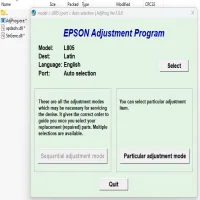
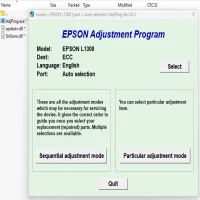
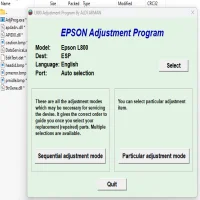
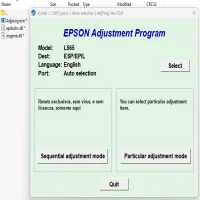
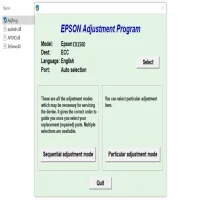
The Epson Stylus CX3600 Adjustment Program is a utility provided by Epson for troubleshooting and servicing their printers. It is primarily designed for technicians but can also be used by regular users to resolve specific printer issues. The program allows users to reset the printer’s internal counters and adjust certain settings, including ink pad levels, which are often linked to the infamous “Waste Ink Pad” error.
It’s essential to note that the Epson Adjustment Program is not a standard software available for direct download from Epson's official website. Instead, it’s often distributed through third-party channels or service centers. However, it is crucial to download it from a reliable source to avoid potential malware or corrupted files.
Key Features of the Adjustment Program
-
Ink Pad Counter Reset: The program allows users to reset the ink pad counter. The ink pads collect excess ink that may spill during the printing process. Over time, these pads can fill up, and the printer will throw an error when the ink pad counter reaches a certain threshold. By resetting the counter, users can continue printing without interruption.
-
Waste Ink Pad Maintenance: The program can also assist in clearing error messages related to waste ink pads. When the printer detects that the ink pads are full or have reached the maximum limit, it may stop functioning. Running the adjustment tool can help clear these warnings, allowing the printer to resume normal operations.
-
Head Cleaning and Test Printing: The program provides a way to perform head cleaning and test prints. These actions can help resolve issues like clogged nozzles or poor print quality by cleaning the print heads and verifying the print quality after maintenance.
-
Scanner Calibration: Although the Epson Stylus CX3600 is primarily known for its printing functionality, it also has scanning capabilities. The adjustment program can be used to recalibrate the scanner for improved scan accuracy, color reproduction, and alignment.
-
Resetting the Printer's Internal Settings: If the printer begins to experience unusual behaviors or persistent error codes, the adjustment program can help reset the internal settings to factory defaults. This can resolve many software-related issues.
How to Use the Epson Stylus CX3600 Adjustment Program
Using the Epson Stylus CX3600 Adjustment Program involves several steps, and users should proceed carefully to avoid unintended errors. Here is a general guide to using the program:
-
Download the Adjustment Program:
- Search for the Epson Stylus CX3600 Adjustment Program from a trusted third-party website. Make sure to scan any downloaded files for malware before opening them.
-
Install the Software:
- Once the program is downloaded, unzip the file (if necessary) and install the software on your computer. Follow the on-screen instructions to complete the installation.
-
Connect Your Printer:
- Ensure your Epson Stylus CX3600 printer is connected to your computer via USB or network connection. Turn on the printer before launching the adjustment program.
-
Launch the Program:
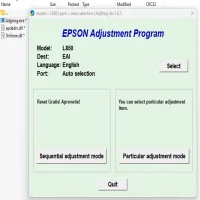
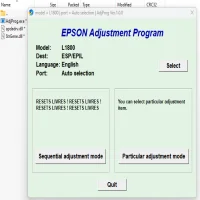
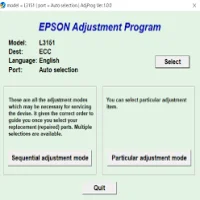
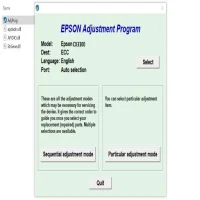
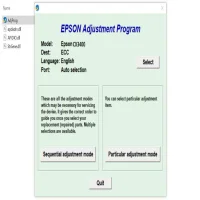
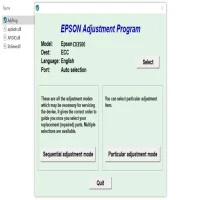
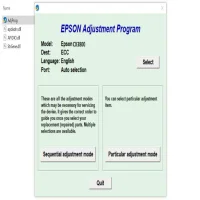
- Open the Epson Stylus CX3600 Adjustment Program. You may need to select the specific model of your printer from a list of supported devices.
-
Select the Desired Adjustment Option:
- The program will display a range of adjustment options, including ink pad reset, head cleaning, and other settings. Choose the option that corresponds to the issue you are experiencing.
-
Follow the On-Screen Instructions:
- Follow the instructions provided by the program for each specific task. For example, if you are resetting the ink pad counter, the program will guide you through the process and may prompt you to confirm the reset.
-
Restart Your Printer:
- After performing the necessary adjustments, restart your printer to ensure the changes take effect. You can also perform a test print to verify that the problem has been resolved.
Potential Risks and Precautions
While the Epson Stylus CX3600 Adjustment Program can be incredibly useful, there are some potential risks to be aware of:
- Incorrect Use: If you accidentally select the wrong setting, it could cause your printer to malfunction. Always read the instructions carefully and ensure that you’re choosing the right options.
- Warranty Considerations: If your printer is still under warranty, using the adjustment program could void it, especially if it leads to any damage or if it involves unauthorized third-party software.
- Overuse of Ink Pads: Continuously resetting the ink pad counter without addressing the underlying issue may lead to permanent damage to your printer. If your printer is frequently throwing waste ink pad errors, consider replacing the ink pads or consulting a technician.
Conclusion
The Epson Stylus CX3600 Adjustment Program is an excellent tool for troubleshooting and maintaining your printer. By allowing users to reset ink pad counters, perform head cleanings, and adjust various settings, it can significantly improve the printer’s lifespan and performance. However, caution is advised when using the program, as improper use can cause issues that are hard to reverse.
Always ensure that you download the program from a trusted source, follow the instructions closely, and consider professional help if you’re uncertain about any aspect of the process.
Rate the App
User Reviews





Popular Apps