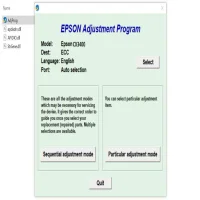

Latest Version
Download NowMore About Epson Stylus CX3400 Adjustment Program
Epson Stylus CX3400 Adjustment Program: A Comprehensive Guide
The Epson Stylus CX3400 is a reliable all-in-one printer designed for home and office use, offering printing, scanning, and copying functions in one compact device. However, like many printers, it occasionally requires maintenance and adjustments to ensure optimal performance. The Epson Stylus CX3400 Adjustment Program is a tool designed to reset and fine-tune certain internal settings, helping users restore the printer’s functionality and extend its lifespan. This guide will explore what the Epson Stylus CX3400 Adjustment Program is, why it’s necessary, and how to use it safely.
What is the Epson Stylus CX3400 Adjustment Program?
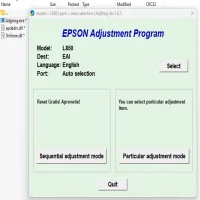
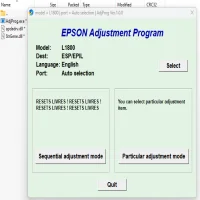
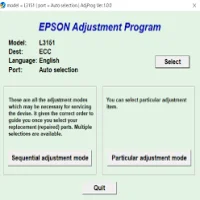
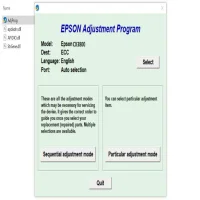
The Epson Stylus CX3400 Adjustment Program is a diagnostic and repair tool created by Epson for technicians and advanced users. It allows you to perform a variety of maintenance tasks, such as:
-
Resetting the Ink Counter: Over time, the printer may accumulate a count of the ink usage, which can sometimes lead to error messages or the printer refusing to print. The Adjustment Program can reset this counter to avoid this issue.
-
Clearing the Waste Ink Pad Counter: The waste ink pad absorbs excess ink during the printing process, and once it reaches its capacity, the printer will prompt users to replace or reset the counter. The program can help reset this counter without having to physically replace the waste ink pads.
-
Printer Head Cleaning: Over time, the print heads can become clogged or misaligned, which can cause poor print quality. The adjustment program can perform head cleaning and alignment tasks to restore the printer’s print quality.
-
Refilling the Ink Cartridge: For users who refill their ink cartridges, the program can reset the ink levels, ensuring that the printer recognizes the refilled cartridge.
Why Use the Adjustment Program?
There are several reasons why you might need to use the Epson Stylus CX3400 Adjustment Program:
-
Error Codes: If you encounter error codes related to ink overflow or waste ink pad errors, the program can reset the relevant counters, allowing you to continue printing without the error blocking further tasks.
-
Restoring Printer Performance: When the printer’s performance begins to degrade—whether through clogged print heads or alignment issues—the program can reset various settings, restoring the printer to its original condition.
-
Preventing Costly Repairs: Instead of seeking professional repair services or purchasing a new printer, the adjustment program can solve many common printer issues at home, saving you both time and money.
-
Improving Ink Efficiency: Users who refill their ink cartridges can reset the ink levels, allowing for more effective use of ink and better print quality.
How to Use the Epson Stylus CX3400 Adjustment Program
Note: Before using the Epson Stylus CX3400 Adjustment Program, make sure that your printer is properly connected to your computer and that you have installed the necessary drivers. Follow the steps below carefully:
-
Download the Program:
- The Epson Stylus CX3400 Adjustment Program is not officially available on the Epson website for public download. However, you can find third-party sources that offer the program. Make sure to download it from a reputable site to avoid malware or malicious software.
-
Extract and Run the Program:
- After downloading, extract the files and run the program. The tool typically requires a Windows-based operating system to function. If you are using Mac OS, you may need to use an emulator or look for a compatible version.
-
Enter Service Mode:
- Before proceeding, you’ll need to place the printer into “Service Mode.” This is usually done by turning off the printer and then holding down a specific combination of buttons (often the "Home" button or the "Power" button) while powering the printer back on. Refer to the program’s instructions for the exact button sequence.
-
Select the Required Adjustment:
- Once in service mode, the program will present a list of available adjustments. Depending on your needs, you can select the “Waste Ink Pad Reset,” “Ink Cartridge Reset,” or “Head Cleaning” option.
-
Execute the Adjustment:
- After selecting the desired adjustment, click the “Execute” button. The program will process the selected task, and you may be asked to restart your printer. If the printer requires a physical reset, make sure to follow the instructions provided.
-
Test the Printer:
- Once the program has completed the adjustment, print a test page to check if the printer is functioning properly. If issues persist, repeat the process or perform additional tasks, such as head cleaning or alignment.
Important Considerations
-
Risk of Malfunction: The Adjustment Program is a powerful tool, and using it improperly can cause malfunctions or even damage the printer. Always follow instructions carefully and avoid making unnecessary adjustments.
-
Use Sparingly: The Adjustment Program is meant to be used for regular maintenance or when the printer encounters specific errors. Overusing the tool may lead to unpredictable behavior and reduce the printer's lifespan.
-
Legal Risks: As the Adjustment Program is typically not intended for public use, downloading it from unofficial sources could violate Epson’s terms and conditions. It’s essential to understand the risks involved and use the program responsibly.
Conclusion
The Epson Stylus CX3400 Adjustment Program is a handy tool for troubleshooting and maintaining your printer. Whether you need to reset ink counters, clear waste ink pad errors, or improve print quality, this program provides a quick and cost-effective solution. However, it’s essential to use the program with care, following all instructions closely to avoid damage. If you're unsure, it's always a good idea to consult a professional technician. Proper maintenance can extend the life of your printer, saving you from costly repairs and replacements in the future.
Rate the App
User Reviews





Popular Apps