

Latest Version
Download NowMore About Epson Stylus Color 670 Adjustment Program
Epson Stylus Color 670 Adjustment Program: A Comprehensive Guide
The Epson Stylus Color 670 is a versatile inkjet printer that was widely used in homes and small offices for its efficiency and print quality. However, like all printers, over time, the Epson Stylus Color 670 may encounter various issues such as print head misalignment, ink waste, and system errors that hinder its functionality. To tackle these problems, the Epson Stylus Color 670 Adjustment Program can be incredibly useful. This tool enables users to reset certain printer functions, resolve errors, and restore the device’s performance.
What is the Epson Stylus Color 670 Adjustment Program?
The Epson Stylus Color 670 Adjustment Program is a specialized software designed for maintenance and repair tasks that can only be accessed through specific procedures. This program is not provided directly by Epson for consumer use but is typically used by service technicians and repair shops to manage printer malfunctions and reset certain counters. By running this program, users can address several common issues related to ink levels, waste ink counters, and print head alignments.
Key Features of the Adjustment Program
-
Waste Ink Counter Reset: Over time, the printer accumulates waste ink in its ink pads, which can trigger a "waste ink tank full" error. The adjustment program helps reset the waste ink counter, allowing users to continue printing without this error, even when the ink pads have not been physically replaced.
-
Print Head Alignment and Cleaning: Print head misalignment or clogged nozzles can lead to poor print quality. The adjustment program includes tools to clean the print heads and recalibrate the alignment, restoring the printer’s ability to produce clear, crisp prints.
-
Resetting Printer's Internal Counters: The program helps reset various internal counters, such as those tracking the number of prints, ink usage, and maintenance cycles. This is particularly helpful for resolving errors related to cartridge usage and ink consumption.
-
Error Troubleshooting: The program can identify and troubleshoot various errors that may occur during printing. These may include common issues like paper jams, color discrepancies, or system faults that prevent the printer from functioning properly.
-
Firmware Restoration: The program offers a way to restore the printer’s firmware, which can help solve system-related issues and ensure the printer runs smoothly.
How to Use the Epson Stylus Color 670 Adjustment Program
Using the Epson Stylus Color 670 Adjustment Program requires a few simple steps, although users should be cautious, as improper use of the program could potentially harm the printer or void the warranty. Here’s how to get started:
-
Download the Program: You’ll need to download the Epson Stylus Color 670 Adjustment Program from a reliable source. Be aware that it is not available from official Epson channels, so ensure you are obtaining it from a trusted website.
-
Install the Program: Once downloaded, run the installer to install the program on your computer. The program may only be compatible with certain operating systems, so check compatibility before proceeding.
-
Connect the Printer: Connect the Epson Stylus Color 670 to your computer via USB or parallel port (depending on your setup).
-
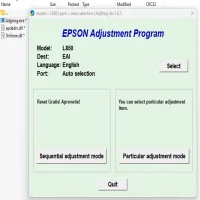
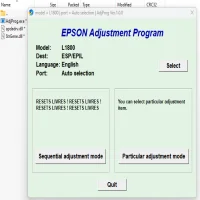
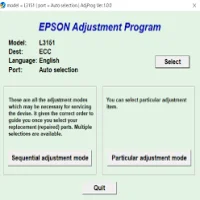
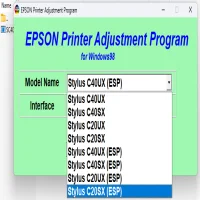
Run the Program: Open the adjustment program and follow the on-screen instructions. It will typically prompt you to select the printer model (Epson Stylus Color 670) and choose the desired adjustment function (such as resetting the waste ink counter or cleaning the print head).
-
Perform Adjustments: Depending on the issues you are experiencing, you can perform tasks such as resetting counters, aligning the print head, or running ink pad cleaning cycles.
-
Test the Printer: After completing the adjustments, print a test page to ensure that the printer is functioning properly. If the issue persists, consider repeating the process or consulting with a professional technician.
Risks and Considerations
While the Epson Stylus Color 670 Adjustment Program can be a valuable tool for maintaining your printer, there are a few risks to keep in mind:
-
Void Warranty: Using third-party software or making certain adjustments without professional guidance could void your printer’s warranty.
-
Incorrect Settings: Improper adjustments, especially in terms of ink pads and print head cleaning, could lead to further damage or malfunctions.
-
Compatibility: The program may not be compatible with all operating systems or versions of the Epson Stylus Color 670. Ensure you verify compatibility before installing it.
Conclusion
The Epson Stylus Color 670 Adjustment Program provides an essential solution for users facing operational challenges with their printers. By resetting ink counters, cleaning print heads, and addressing error messages, this tool can help restore a printer’s functionality. However, users should approach the program with caution, as incorrect use can cause further issues. For complex problems or if you are unsure about using the program, it’s always advisable to consult an experienced technician to prevent any damage.
Rate the App
User Reviews


Popular Apps