

Latest Version
Download NowMore About Epson Stylus Color 580 Adjustment Program
Epson Stylus Color 580 Adjustment Program: A Comprehensive Guide
The Epson Stylus Color 580 is a classic inkjet printer known for its reliable performance and vibrant color output. Over time, however, users may encounter performance issues such as misaligned print heads, ink waste pad errors, or inconsistent print quality. To address these issues effectively, Epson developed the Adjustment Program, a utility tool designed to calibrate and optimize the printer's performance.
What Is the Epson Stylus Color 580 Adjustment Program?
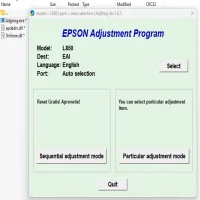
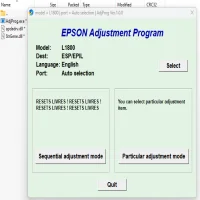
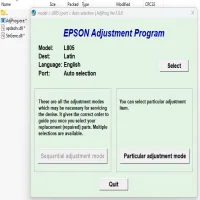
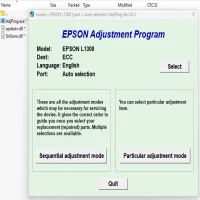
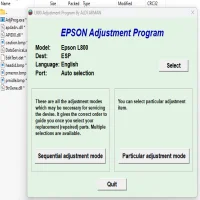
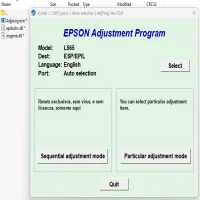
The Adjustment Program is a diagnostic software created specifically for Epson printers. It provides users with tools to reset error counters, realign print heads, and perform maintenance tasks that are not accessible through standard printer settings. This program ensures that your printer operates at peak efficiency, extending its lifespan and improving print quality.
Key Features of the Adjustment Program
-
Waste Ink Pad Counter ResetEpson printers use an internal counter to track ink overflow during cleaning cycles. When this counter reaches its limit, the printer may stop functioning, displaying a “Service Required” message. The Adjustment Program can reset the waste ink pad counter, allowing the printer to resume normal operations.
-
Print Head AlignmentMisaligned print heads can lead to distorted or streaky prints. The Adjustment Program provides precise tools to recalibrate the print heads, ensuring sharp and accurate output.
-
EEPROM Data ResetThe program can reset the printer’s internal memory, clearing error codes and restoring factory settings.
-
Nozzle Check and CleaningThis feature allows users to check the condition of the printer’s nozzles and initiate a deep cleaning cycle to unclog blocked nozzles.
-
Ink Charge and AdjustmentThe program facilitates initial ink charging and fine-tuning for optimal ink distribution.
How to Use the Epson Stylus Color 580 Adjustment Program
Using the Adjustment Program requires careful steps to avoid unintended consequences. Here’s a basic guide:
Prerequisites:
- A computer running Windows (compatible versions).
- USB connection between the computer and the printer.
- The Epson Stylus Color 580 Adjustment Program (downloadable from trusted sources).
Steps:
-
Download and Install the ProgramEnsure the software version matches your printer model. Install the program on your computer.
-
Connect the PrinterUse a USB cable to connect your Epson Stylus Color 580 to the computer.
-
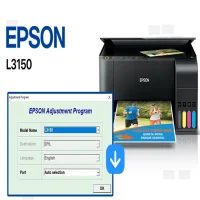
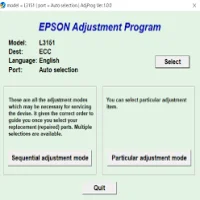
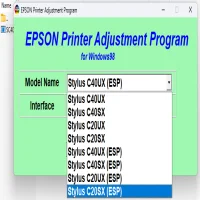
Run the Adjustment ProgramOpen the software and select your printer model from the list.
-
Choose the Desired FunctionSelect the maintenance task you wish to perform, such as resetting the waste ink pad counter or aligning the print head.
-
Follow the On-Screen InstructionsComplete the process as guided by the program. Once finished, restart your printer.
Benefits of Using the Adjustment Program
- Cost Savings: Avoid costly service center visits by performing maintenance tasks at home.
- Extended Printer Life: Regular maintenance prevents long-term damage and keeps the printer running efficiently.
- Enhanced Print Quality: Proper alignment and cleaning ensure high-quality prints.
Precautions
- Use Caution: Incorrect use of the program can cause further issues. Follow instructions carefully.
- Source Reliability: Only download the program from reputable websites to avoid malware.
- Backup Settings: Save your printer settings before making significant changes.
Conclusion
The Epson Stylus Color 580 Adjustment Program is an invaluable tool for maintaining your printer's performance. Whether you're resetting error counters or fine-tuning print alignment, this software empowers users to handle technical challenges independently. By leveraging this program, you can ensure your Epson printer continues to deliver exceptional results for years to come.
Rate the App
User Reviews


Popular Apps