Latest Version
More About Epson PictureMate Pal PM 200 Adjustment Program
Epson PictureMate Pal PM 200 Adjustment Program: A Comprehensive Guide
The Epson PictureMate Pal PM 200 is a compact and portable photo printer, designed to offer users high-quality prints for their photos, especially in the comfort of their home or on the go. However, like any electronic device, it might occasionally require adjustments and maintenance to keep it running smoothly. This is where the Epson PictureMate Pal PM 200 Adjustment Program comes into play. This program helps users fix various issues that may arise during regular use and ensures that the printer functions optimally.
What is the Epson PictureMate Pal PM 200 Adjustment Program?
The Epson PictureMate Pal PM 200 Adjustment Program is a specialized tool designed to address common issues with the Epson PictureMate printer. The program offers a range of solutions for problems like print quality deterioration, paper feeding issues, and ink cartridge recognition errors. It is typically used by technicians or advanced users, but it can also be beneficial for everyday users who encounter problems that aren't easily solvable through basic troubleshooting steps.
The program allows users to reset certain printer settings, adjust print head alignment, and clean components, all of which contribute to improving the printer’s performance. In some cases, it can also resolve issues caused by software errors or physical hardware malfunctions.
Features of the Adjustment Program
The Epson PictureMate Pal PM 200 Adjustment Program comes with various features to address different types of printer problems. Here are some of the most important functions:
-
Head Alignment: Over time, the printhead in your Epson PictureMate PM 200 can become misaligned, leading to print quality issues like color discrepancies or blurry images. The adjustment program helps realign the printhead to restore optimal print quality.
-
Cleaning Cycle: If your printer is producing faint or uneven prints, it could be due to clogged printheads. The program offers a cleaning function that can help unclog the printheads by running a series of cleaning cycles.
-
Ink Cartridge Reset: Sometimes, the printer might not recognize a newly installed ink cartridge or could show an incorrect ink level. The adjustment program can reset the ink cartridge status and ensure that your printer is properly reading the ink levels.
-
Paper Feed Adjustment: If your printer is experiencing paper jams or feeding issues, the program can help adjust the paper feed mechanism, ensuring smoother paper handling.
-
Resetting Printer Settings: In cases where the printer’s software has become corrupted or unresponsive, the adjustment program allows you to reset the printer to its factory settings.
How to Use the Epson PictureMate Pal PM 200 Adjustment Program
Using the Epson PictureMate Pal PM 200 Adjustment Program requires a few steps. While the process is generally straightforward, it’s recommended to follow the instructions carefully to avoid any unintended consequences. Here's a basic guide to get started:
-
Download the Program: First, download the Epson PictureMate Pal PM 200 Adjustment Program from a trusted source. Make sure you have the correct version for your operating system (Windows or Mac).
-
Connect Your Printer: Ensure that your Epson PictureMate PM 200 printer is connected to your computer via USB or Wi-Fi, depending on your configuration.
-
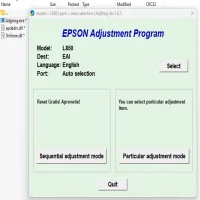
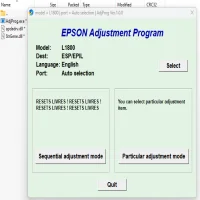
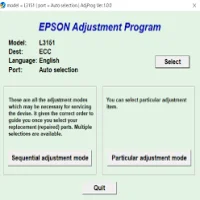
Run the Adjustment Program: Launch the program after installation. You may need to install additional drivers or software if prompted.
-
Select the Desired Function: Choose the adjustment you want to perform, such as head alignment, cleaning cycle, or ink cartridge reset. Follow the on-screen instructions for each task.
-
Complete the Adjustments: Once the program has finished its tasks, restart your printer and perform a test print to check if the issue has been resolved.
Precautions and Considerations
While the Epson PictureMate Pal PM 200 Adjustment Program can be a useful tool, it's important to use it with caution. Here are some tips to ensure safe usage:
-
Backup Printer Settings: Before making any major adjustments, it’s always a good idea to back up your current printer settings, especially if you’re resetting it to factory defaults.
-
Avoid Overuse: The cleaning cycles and adjustments should be used sparingly. Overusing them can lead to excessive ink consumption or wear on your printer’s components.
-
Use Genuine Ink Cartridges: For best results, always use genuine Epson ink cartridges. Third-party cartridges may not work well with the program or might cause additional issues.
-
Follow Instructions Carefully: Ensure that you read and follow all the instructions within the adjustment program. Mistakes in performing adjustments could lead to further issues.
Conclusion
The Epson PictureMate Pal PM 200 Adjustment Program is a powerful tool designed to help users address common printer issues and maintain the overall health of their device. From cleaning the printheads to adjusting ink cartridge recognition, this program offers essential functions for keeping your printer in top shape. If you encounter persistent issues with your Epson PictureMate PM 200, this program might be the solution you need to restore its functionality and improve print quality.
Rate the App
User Reviews
Popular Apps