Latest Version
More About Epson Colorio PM-G850 Adjustment Program ( Resetter )
Epson Colorio PM-G850 Adjustment Program (Resetter): A Comprehensive Guide
The Epson Colorio PM-G850 is a well-known inkjet printer favored by many for its high-quality printing capabilities and versatile performance. However, like all printers, the Epson Colorio PM-G850 can encounter issues over time, such as print head problems or waste ink counter overflow. These issues can cause the printer to stop functioning correctly. To resolve such issues, the Epson Colorio PM-G850 Adjustment Program (often referred to as the Resetter) is a valuable tool for users looking to restore their printer to its optimal performance.
What is the Epson Colorio PM-G850 Adjustment Program (Resetter)?
The Epson Colorio PM-G850 Adjustment Program, also known as the Resetter, is a software tool designed to reset the internal counters of the printer, particularly the waste ink counter. Over time, the printer collects excess ink that is not used during printing, which can eventually fill up the waste ink pads. When this happens, the printer may display an error message, halting printing until the issue is addressed.
This program helps to reset these counters, allowing the printer to continue working without requiring physical intervention. It is an essential tool for users who want to extend the life of their Epson Colorio PM-G850 printer and avoid costly repairs or replacements.
Why Do You Need the Adjustment Program?
The Epson Colorio PM-G850 is equipped with an internal waste ink counter that keeps track of the amount of ink deposited into the waste ink pads. When the counter reaches its limit, the printer may stop working, displaying an error message such as “Waste ink pad is full.” The printer is designed to prevent further use to avoid ink spillage, which could cause damage.
In such cases, instead of replacing the waste ink pads or seeking professional service, users can reset the waste ink counter using the Epson Adjustment Program. This software can be used to clear the counter, allowing users to continue printing without interruption.
Key Features of the Epson Colorio PM-G850 Adjustment Program:
-
Waste Ink Pad Reset: The primary function of the program is to reset the waste ink counter. This prevents the printer from halting due to a full waste ink pad.
-
Print Head and Ink Cartridge Management: The adjustment program can help in the management of the print head and ink cartridges by performing cleaning tasks, which can resolve issues related to clogged nozzles.
-
Error Code Reset: The program can clear error codes that may be displayed on the printer, such as those related to print head malfunctions or ink pad overflows.
-
Maintenance and Calibration: It also offers various maintenance functions, including print head alignment and the ability to reset the printer to its factory settings.
-
Affordable Solution: Using the adjustment program is a cost-effective way to troubleshoot and resolve issues, as it eliminates the need for professional service or expensive replacement parts.
How to Use the Epson Colorio PM-G850 Adjustment Program:
Step 1: Download the Epson Colorio PM-G850 Adjustment Program from a trusted website. Ensure that you are downloading from a reliable source to avoid malware or corrupted files.
Step 2: Install the program on your computer. Follow the installation prompts and allow the program to access your printer.
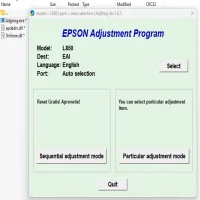
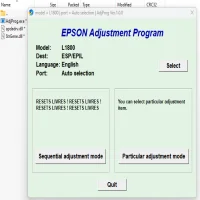
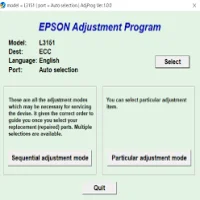
Step 3: Launch the Adjustment Program and select your printer model from the list of available Epson printers.
Step 4: Choose the “Waste Ink Pad Counter Reset” option. This will initiate the reset process, clearing the waste ink counter.
Step 5: Follow the on-screen instructions carefully. The program will guide you through the necessary steps, and once the process is complete, your printer will be ready to use again.
Step 6: Restart your printer and check for any errors. If the reset is successful, the printer should resume normal operation.
Precautions When Using the Epson Adjustment Program:
-
Backup Data: Before performing any adjustments, make sure to back up important data or printer settings, as certain actions might affect the printer’s configurations.
-
Regular Use: Use the adjustment program only when necessary, as frequent resets can potentially cause issues with the printer’s long-term performance.
-
Use with Caution: Be cautious when selecting options in the program. Incorrect use of the software can lead to unintended consequences, such as incorrect alignment or unintentional changes to the printer settings.
-
Legality: Be aware that using adjustment programs may void your warranty if the printer is still under service coverage. Always consult with Epson customer support if you are unsure.
Conclusion:
The Epson Colorio PM-G850 Adjustment Program is a powerful tool that helps users maintain their printer’s functionality and extend its lifespan. It provides a straightforward solution to common issues such as waste ink pad overflow and error codes. By following the necessary steps to reset the waste ink counter, users can avoid costly repairs and continue enjoying the high-quality prints that the Epson Colorio PM-G850 is known for.
However, it is essential to use the adjustment program carefully and only when required, as improper usage can lead to further complications. If you are unsure or uncomfortable with using the program, consider seeking professional assistance.
Rate the App
User Reviews
Popular Apps