Latest Version
More About Epson PictureMate Charm PM 225 Adjustment Program
Epson PictureMate Charm PM 225 Adjustment Program: A Comprehensive Guide
The Epson PictureMate Charm PM 225 is a compact and high-performance photo printer known for its ability to produce high-quality prints from your digital images. However, like all printers, it may require periodic maintenance and adjustments to ensure it continues to operate optimally. One of the essential tools for maintaining your Epson PictureMate Charm PM 225 is the Adjustment Program. This software is designed to troubleshoot, calibrate, and reset certain printer functions to keep the device running smoothly.
In this article, we’ll explore what the Epson PictureMate Charm PM 225 Adjustment Program is, how to use it, and why it's important for the longevity and efficiency of your printer.
What is the Epson PictureMate Charm PM 225 Adjustment Program?
The Epson PictureMate Charm PM 225 Adjustment Program is a utility tool provided by Epson to help users perform various maintenance tasks on their printer. These tasks include cleaning the print head, adjusting print alignment, and resetting internal counters. It can also help fix specific errors that arise from common issues such as ink overflow, misalignment, or a clogged print head.
This program is often used when regular printer troubleshooting methods don’t resolve the problem. It is especially useful for more technical fixes that require a deeper level of interaction with the printer's internal systems.
Key Features of the Epson PictureMate Charm PM 225 Adjustment Program
-
Ink Reset: The program helps to reset the ink cartridge counters, which are responsible for monitoring ink usage. This ensures that the printer recognizes full cartridges and prevents errors related to ink levels.
-
Print Head Cleaning: Over time, print heads can become clogged, leading to poor print quality or paper jams. The Adjustment Program allows users to perform advanced head cleaning procedures to ensure the print head is free from blockages.
-
Print Alignment: If your prints are coming out misaligned, the Adjustment Program can be used to realign the print head to restore accurate printing.
-
Waste Ink Reset: Printers accumulate waste ink during the printing process. The Epson PictureMate Charm PM 225 tracks this waste ink and can display an error message when it reaches a certain level. The Adjustment Program allows you to reset this counter after the waste ink has been properly disposed of.
-
Error Fixes: The program can address specific error codes related to the printer's internal systems, often resulting from minor malfunctions.
How to Use the Epson PictureMate Charm PM 225 Adjustment Program
-
Download the Program: The first step is to download the Epson PictureMate Charm PM 225 Adjustment Program from a reliable source. It’s important to ensure you’re getting the official version to avoid any potential security issues.
-
Install the Program: Follow the installation instructions provided with the software. You may need to temporarily disable your antivirus or firewall during the installation to prevent any interference.
-
Connect the Printer: Ensure that the Epson PictureMate Charm PM 225 is properly connected to your computer via USB. The Adjustment Program will only work when the printer is directly connected to the computer.
-
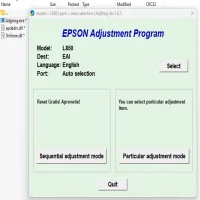
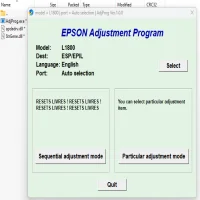
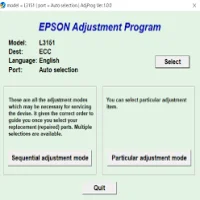
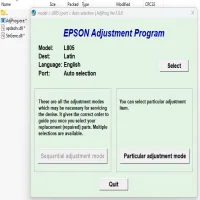
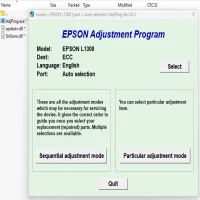
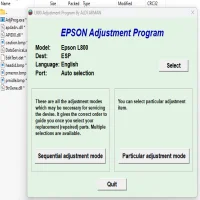
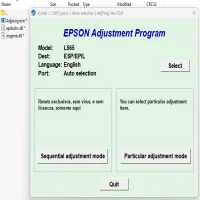
Run the Program: Once the software is installed, launch the program. You’ll be presented with a series of options, such as resetting the ink counters, cleaning the print head, or performing other maintenance tasks.
-
Select the Desired Adjustment: Depending on the issue you’re facing, select the relevant adjustment from the menu. For example, if you’re experiencing issues with ink quality, choose the Print Head Cleaning option.
-
Follow the On-Screen Instructions: The Adjustment Program will guide you through the necessary steps for each adjustment. Be sure to follow the instructions carefully to avoid causing any unintended issues.
-
Test the Printer: After completing the adjustments, perform a test print to ensure the issue has been resolved. If you still encounter problems, you may need to repeat the adjustment process or try other troubleshooting steps.
Why is the Adjustment Program Important?
The Epson PictureMate Charm PM 225 Adjustment Program plays a crucial role in maintaining the printer’s performance and preventing costly repairs. Regular use of this program can prolong the life of your printer by ensuring that it operates efficiently. It also saves you time and money by resolving minor issues without the need for professional service.
In addition, using the Adjustment Program allows you to take control of your printer's maintenance, which is especially beneficial for individuals who rely heavily on their photo printer for personal or professional use.
Conclusion
The Epson PictureMate Charm PM 225 Adjustment Program is a valuable tool for keeping your printer in peak condition. By performing regular adjustments, you can avoid common issues such as clogged print heads, misaligned prints, and ink overflow errors. It’s easy to use and can often fix problems that might otherwise require costly repairs or professional service. For anyone looking to maximize the life of their Epson PictureMate Charm PM 225 printer, the Adjustment Program is an essential resource.
Rate the App
User Reviews
Popular Apps