Latest Version
More About Epson ME-340 Adjustment Program
Epson ME-340 Adjustment Program: A Comprehensive Guide
The Epson ME-340 is a reliable and efficient inkjet printer widely used in both home and office environments. However, like all printers, it may encounter issues over time, such as paper jams, print quality problems, or even error codes that hinder its proper functioning. To address these concerns and ensure optimal performance, Epson offers the "ME-340 Adjustment Program."
In this article, we will explore the Epson ME-340 Adjustment Program in detail, discussing its features, benefits, and how it can help resolve various printer issues.
What is the Epson ME-340 Adjustment Program?
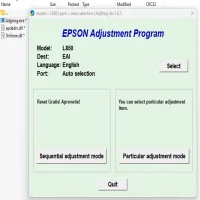
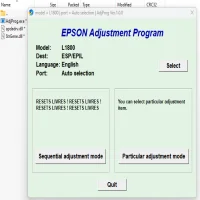
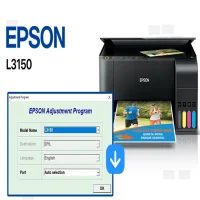
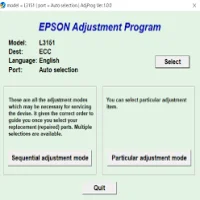
The Epson ME-340 Adjustment Program is a software tool designed to assist users in adjusting and maintaining the printer's functionality. It allows users to reset, clean, and fine-tune various internal components of the Epson ME-340 printer, helping to restore its performance and prolong its lifespan.
The program is typically used by technicians and advanced users to handle maintenance tasks such as ink waste pad reset, nozzle check, print head cleaning, and more. While it is not an official feature included in the printer's regular software suite, it is widely used by those who are comfortable working with software tools outside of the default printer drivers.
Key Features of the Epson ME-340 Adjustment Program
-
Ink Waste Pad Reset: Over time, the printer accumulates ink in the waste pads, which can eventually trigger an error message indicating that the pads are full. The Adjustment Program allows users to reset the ink waste pad counter, preventing error messages from disrupting print operations.
-
Nozzle Check and Cleaning: The program offers tools for performing thorough nozzle checks and print head cleanings. This helps in resolving issues such as clogged nozzles or poor print quality, ensuring smooth and clear prints.
-
Printer Reset: When the printer malfunctions or displays error codes, the program can be used to reset the printer's internal settings. This can resolve many common issues, such as communication problems between the printer and the computer.
-
Firmware Management: The Adjustment Program can be used to update or manage the printer's firmware, ensuring that the printer operates with the latest fixes and features released by Epson.
-
Advanced Diagnostics: Technicians can use the program to run advanced diagnostics on the printer, checking for potential mechanical or electrical faults that could require attention or repair.
How to Use the Epson ME-340 Adjustment Program
Before using the Epson ME-340 Adjustment Program, it's essential to ensure that you have the right version of the software compatible with your operating system. It is also recommended to back up any important data or printer settings before proceeding with any adjustments.
-
Download and Install the Adjustment Program:
- Find a reliable source to download the Epson ME-340 Adjustment Program. Ensure that the software is compatible with your printer model.
- After downloading, follow the installation instructions to set up the program on your computer.
-
Connect the Printer:
- Ensure your Epson ME-340 printer is connected to your computer via USB or Wi-Fi, depending on your setup.
-
Open the Program:
- Launch the Adjustment Program on your computer and select the Epson ME-340 from the list of available printers.
-
Select the Desired Adjustment:
- Choose the function you need, such as ink pad reset, print head cleaning, or nozzle check. Follow the on-screen instructions for each operation.
-
Execute the Adjustment:
- Once the operation is selected, click "Start" or "Execute." The program will automatically carry out the necessary adjustments. It may take a few minutes to complete each task, so be patient.
-
Test the Printer:
- After completing the adjustments, print a test page to ensure that the printer is functioning correctly.
Benefits of Using the Epson ME-340 Adjustment Program
-
Cost-Effective Maintenance: Instead of sending the printer to a technician or service center, the program allows users to perform maintenance and repairs at home, saving on repair costs.
-
Prevents Printer Malfunctions: Regular use of the Adjustment Program can prevent common printer issues, such as print quality degradation or waste pad errors, ensuring long-term reliability.
-
Increased Lifespan: Proper maintenance and adjustments help extend the life of the printer, allowing users to get more value from their investment.
-
Convenience: The software is user-friendly and can be easily accessed at any time, providing a convenient way to address minor issues without professional help.
Important Considerations
While the Epson ME-340 Adjustment Program can be a helpful tool for maintenance and repairs, it is important to use it responsibly. Performing adjustments incorrectly or using the program too frequently could lead to further issues. Always follow the program's instructions carefully, and if you are unsure about a specific adjustment, it may be best to consult an expert.
Additionally, ensure that you download the program from a reputable source, as unauthorized or unofficial versions could contain malware or cause other problems.
Conclusion
The Epson ME-340 Adjustment Program is a powerful tool for maintaining and troubleshooting your printer. By providing features such as ink pad resets, nozzle checks, and print head cleaning, it helps to ensure that the Epson ME-340 operates at its best for years to come. Whether you're a technician or a regular user, understanding how to use this program effectively can help you save time and money on repairs, while maximizing the lifespan of your printer.
Rate the App
User Reviews
Popular Apps