Latest Version
More About Epson ME-100 Adjustment Program
Epson ME-100 Adjustment Program: A Comprehensive Guide
The Epson ME-100 is a popular compact inkjet printer designed to cater to the needs of both home users and small businesses. Like most printers, the Epson ME-100 might require periodic maintenance to ensure that it continues to perform optimally. One of the critical tools for maintaining the printer's performance is the Epson ME-100 Adjustment Program.
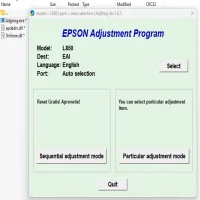
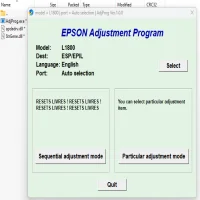
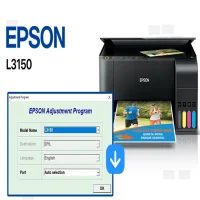
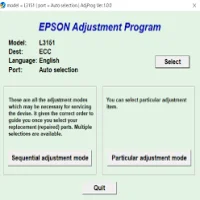
The Epson ME-100 Adjustment Program is a software utility designed to perform various maintenance functions, including resetting the printer’s internal counters, cleaning the print head, and resolving common issues like ink pad errors or waste ink problems. This program helps users extend the printer's lifespan and maintain its functionality without the need for professional servicing.
Key Features of the Epson ME-100 Adjustment Program
-
Ink Pad Reset: One of the primary uses of the Epson ME-100 Adjustment Program is to reset the printer’s ink pad counter. Over time, the printer's internal ink pads may accumulate ink residue, which can lead to errors or even the printer being unable to print. The program resets this counter, effectively clearing any error messages related to waste ink.
-
Head Cleaning and Alignment: The software allows you to clean the printhead and align the printer's nozzles. Printhead cleaning is essential for maintaining high print quality and avoiding clogged nozzles, which can lead to faded or incomplete prints.
-
Diagnosis and Troubleshooting: The Epson ME-100 Adjustment Program also includes diagnostic tools to identify and fix common printer issues. This can save you time and money by resolving problems without needing to call in technical support.
-
Resetting the Printer’s EEPROM: The EEPROM (Electrically Erasable Programmable Read-Only Memory) stores the printer's settings and configuration. Over time, it may need to be reset to restore default settings or clear errors related to misconfigurations. The Adjustment Program can reset the EEPROM, ensuring the printer operates as intended.
-
Customizable Settings: Users can modify various printer settings using the Adjustment Program, such as adjusting the print quality, changing the paper feed settings, and configuring other printer-specific parameters.
How to Use the Epson ME-100 Adjustment Program
To use the Epson ME-100 Adjustment Program, follow these steps:
-
Download and Install: First, download the Epson ME-100 Adjustment Program from a trusted source. Be sure to download the version specifically designed for the ME-100 model to avoid compatibility issues. Once downloaded, install the program on your computer.
-
Connect the Printer: Ensure that the printer is connected to your computer via USB or Wi-Fi. The Adjustment Program requires a stable connection to communicate with the printer.
-
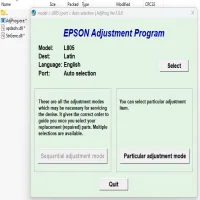
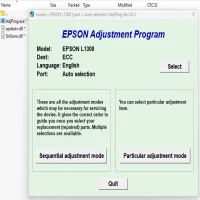
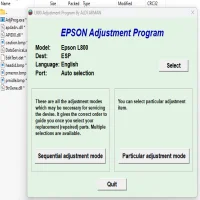
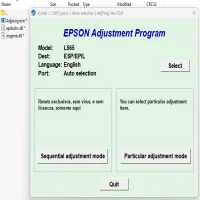
Run the Program: Open the Adjustment Program and select your printer from the list of connected devices. Once your printer is recognized, you will have access to various functions, including head cleaning, ink pad resetting, and more.
-
Perform Maintenance Tasks: Select the function you wish to perform, such as ink pad reset or printhead cleaning. Follow the on-screen instructions to complete the task. The program will guide you through each step.
-
Restart the Printer: After completing the necessary adjustments, restart your printer to apply the changes. You should now see improved performance and fewer error messages.
Important Considerations
While the Epson ME-100 Adjustment Program is a powerful tool for maintaining your printer, there are a few things to keep in mind:
-
Warranty: Using third-party software like the Epson ME-100 Adjustment Program may void your warranty, depending on the manufacturer's policy. It’s recommended to check your warranty terms before using this tool.
-
Risk of Error: Incorrectly using the Adjustment Program can lead to printer malfunction. Make sure to follow the instructions carefully to avoid accidental damage.
-
Compatibility: The program is not always available directly from Epson, and downloading from third-party sources can be risky. Ensure you are downloading the correct version of the software for your printer model to avoid compatibility issues.
-
Regular Maintenance: The Epson ME-100 Adjustment Program is an excellent tool for troubleshooting, but regular maintenance, such as cleaning the printhead and changing ink cartridges, is essential to keeping your printer running smoothly.
Conclusion
The Epson ME-100 Adjustment Program is an invaluable tool for maintaining your printer’s health and performance. By resetting ink pad counters, cleaning printheads, and resolving common errors, users can extend the life of their printer and avoid costly repairs. However, it’s essential to use the program carefully and understand its limitations to avoid accidental issues. If you’re looking to maintain or troubleshoot your Epson ME-100 printer, the Adjustment Program can be a convenient and effective solution.
Rate the App
User Reviews
Popular Apps