Latest Version
More About Epson ME-200 Adjustment Program
Epson ME-200 Adjustment Program: A Comprehensive Guide
The Epson ME-200 is a compact inkjet printer known for its affordability, reliability, and compact design, making it ideal for both home and office environments. However, like all printers, it may experience issues such as ink waste, print quality degradation, and other mechanical glitches over time. Fortunately, the Epson ME-200 Adjustment Program can help users resolve many of these problems, ensuring the printer operates smoothly without requiring a complete replacement.
What is the Epson ME-200 Adjustment Program?
The Epson ME-200 Adjustment Program is a specialized software tool that allows users to reset, recalibrate, and adjust various printer settings. It is primarily used for maintenance purposes, enabling the printer to perform at its best and restore its functionality to the desired level.
This program is not officially available through Epson’s standard user channels but can be obtained from third-party websites that offer printer repair tools. It's important to note that using the program requires caution, as improper use can lead to unintended consequences, including voiding warranties or causing further damage to the printer.
Key Features of the Epson ME-200 Adjustment Program
-
Ink Waste Reset: One of the most common issues with printers like the Epson ME-200 is the ink waste counter getting clogged. Over time, ink waste accumulates in the printer’s waste ink pads, and once the waste counter reaches its limit, it can prevent the printer from functioning properly. The Adjustment Program resets this counter, allowing users to continue printing without interruption.
-
Print Head Cleaning: Regular print head cleaning is essential to maintaining print quality and preventing ink clogs. The Adjustment Program offers an advanced head cleaning function that is more thorough than the standard cleaning cycle available through the printer’s menu. This can help resolve issues like poor print quality or ink smudging.
-
Print Quality Optimization: The program provides additional options to adjust various printer settings to optimize print quality. This can be especially helpful if you notice that your prints are coming out faded, streaked, or blurry. With these adjustments, you can fine-tune color output, alignment, and other factors affecting print quality.
-
Resetting the Printer’s EEPROM: The Epson ME-200 Adjustment Program also allows users to reset the printer's EEPROM (Electrically Erasable Programmable Read-Only Memory). This can be particularly helpful in cases of system errors or when trying to clear old settings and start fresh.
-
Maintenance Mode: If the printer encounters a critical error that prevents it from printing, the Adjustment Program can put the device into maintenance mode. This allows for deeper troubleshooting and fixes that can address mechanical problems and other critical issues that may require attention.
How to Use the Epson ME-200 Adjustment Program
Before using the Epson ME-200 Adjustment Program, ensure that the printer is connected to your computer and powered on. Here are the general steps to follow:
-
Download the Program: Search for a reputable source that provides the Epson ME-200 Adjustment Program. Be cautious of websites that may offer fake or malicious versions of the tool. Ensure you download the correct version for your printer model.
-
Install the Program: Once downloaded, install the program on your computer by following the on-screen instructions. The installation process is usually straightforward, but be sure to check for any additional software or drivers that may be required.
-
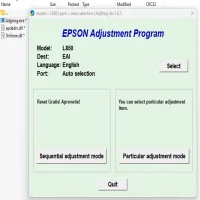
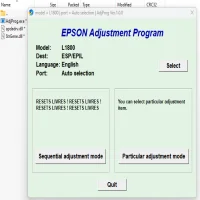
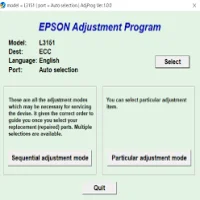
Run the Program: Launch the program after installation. You will be prompted to select your printer model from the list of compatible printers. Ensure that your Epson ME-200 is selected.
-
Select the Desired Function: Choose the function you wish to perform, whether it’s resetting the ink waste counter, cleaning the print head, or resetting the EEPROM. Follow the instructions provided by the software to complete the process.
-
Finish and Restart the Printer: After the adjustments have been made, it is recommended to restart the printer. This allows the changes to take effect and ensures the printer is functioning optimally.
Common Issues Resolved by the Adjustment Program
- Ink Waste Counter Full: This is a common issue that can be easily fixed with the reset feature of the Adjustment Program.
- Poor Print Quality: Cleaning the print head and optimizing print settings can resolve many print quality issues.
- System Errors: Resetting the printer’s EEPROM can eliminate persistent error messages and allow the printer to return to normal operation.
Precautions When Using the Epson ME-200 Adjustment Program
- Backup Data: Always back up important data and print jobs before using the Adjustment Program, as some functions may reset settings.
- Read Instructions Carefully: Incorrect use of the program could lead to permanent damage. Make sure to carefully follow any instructions or prompts that come with the software.
- Consider Warranty: If your printer is still under warranty, using third-party adjustment programs could void your warranty. Always consult the manufacturer’s guidelines before proceeding.
Conclusion
The Epson ME-200 Adjustment Program is a valuable tool for maintaining your printer and ensuring it continues to perform at a high level. Whether you need to reset the ink waste counter, clean the print heads, or optimize print quality, the Adjustment Program offers an array of features that can help solve common printer issues. However, it is essential to use the program with caution, follow instructions carefully, and ensure that your printer is compatible with the software. By doing so, you can extend the life of your Epson ME-200 and avoid costly repairs.
Rate the App
User Reviews
Popular Apps