
Latest Version
Download NowMore About Epson K205 Adjustment Program
Epson K205 Adjustment Program: An Essential Tool for Printer Maintenance and Optimization
Epson printers have long been recognized for their reliability, quality, and performance. Among them, the Epson K205 stands out as a multifunction printer designed for both home and office use. However, like any other hardware, the Epson K205 printer may occasionally require fine-tuning or troubleshooting to ensure optimal functionality. This is where the Epson K205 Adjustment Program becomes an indispensable tool.
What is the Epson K205 Adjustment Program?
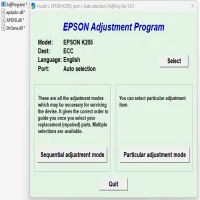
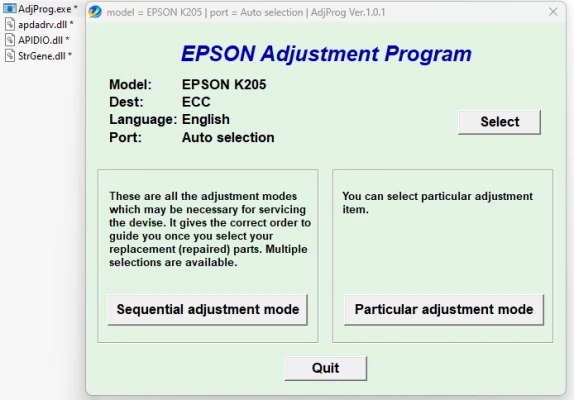
The Epson K205 Adjustment Program is specialized software developed to recalibrate and reset various internal settings of the Epson K205 printer. This tool allows users and technicians to address common issues that standard troubleshooting methods can't resolve. Functions like resetting waste ink pad counters, calibrating print heads, and clearing error messages are all possible through this utility.
Key Features of the Epson K205 Adjustment Program
-
Waste Ink Pad Counter Reset:
- Epson printers are programmed to stop working when the waste ink pad counter reaches its limit. The Adjustment Program can reset this counter, allowing the printer to function again.
-
Head Cleaning and Alignment:
- Print head misalignments can cause streaks and poor print quality. The program allows precise calibration and cleaning to restore print accuracy.
-
EEPROM Reset:
- The software can reset certain parameters in the printer's EEPROM, which can resolve errors caused by corrupted memory settings.
-
Nozzle Check Utility:
- It enables users to perform nozzle checks and identify clogs or inconsistencies in ink flow.
-
Error Code Diagnosis:
- The tool can diagnose and display error codes, providing clarity on printer malfunctions.
Why Use the Epson K205 Adjustment Program?
- Cost-Effective Solution: Instead of taking the printer to a service center, users can address many issues at home or in the office.
- Time-Saving: Quick fixes with the Adjustment Program minimize printer downtime.
- User-Friendly Interface: The software is designed with an intuitive interface, making it accessible even for non-technical users.
How to Use the Epson K205 Adjustment Program?
- Download the official Epson K205 Adjustment Program from a reliable source.
- Connect your Epson K205 printer to your computer.
- Run the Adjustment Program and select the desired maintenance task.
- Follow the on-screen instructions carefully.
- Restart your printer after completing the adjustments.
Precautions Before Using the Adjustment Program
- Ensure you download the program from a trusted source to avoid malware.
- Follow the instructions carefully to prevent accidental misconfigurations.
- Perform a backup of critical printer settings before applying any changes.
Conclusion
The Epson K205 Adjustment Program is a powerful tool for maintaining, repairing, and optimizing your printer's performance. Whether you're a home user or a professional technician, this utility provides an efficient way to address many common printer issues. With the right knowledge and precautions, the Adjustment Program can save time, reduce maintenance costs, and extend the life of your Epson K205 printer.
Rate the App
User Reviews


Popular Apps








