
Latest Version
Download NowMore About Epson M200 Resetter (Service Required Error Solutions )
Epson M200 Resetter (Service Required Error Solutions)
The Epson M200 printer, designed for high-volume printing, is favored for its efficiency and cost-effectiveness. However, like any piece of technology, it can encounter errors over time. One of the common issues faced by users is the "Service Required" error. This error typically arises when the printer's waste ink pad reaches its maximum capacity, causing the printer to stop functioning until the issue is resolved. In this article, we will explore how to resolve this error and use an Epson M200 resetter to fix the "Service Required" error.
What Causes the Epson M200 "Service Required" Error?
The "Service Required" error occurs when the waste ink pads inside the printer accumulate too much ink over time. The waste ink pad's role is to absorb excess ink during printing and cleaning operations. After prolonged use, the pad becomes saturated, which can lead to ink spillage, affecting the printer’s internal components. To prevent further damage, the printer will lock itself until the issue is resolved.
How to Fix the Epson M200 "Service Required" Error
1. Using the Epson M200 Resetter
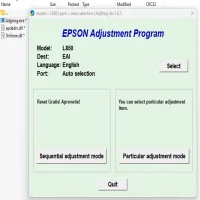
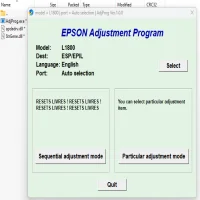
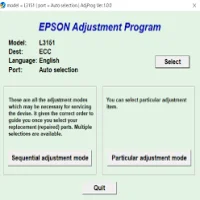
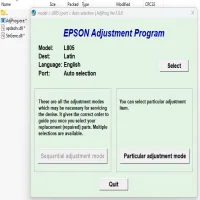
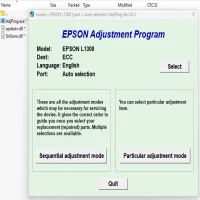
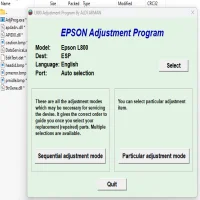
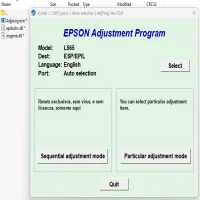
A reset tool is one of the most efficient ways to resolve the "Service Required" error on your Epson M200 printer. These resetters are specially designed software that can reset the printer's waste ink counter, clearing the error and allowing you to continue using the printer. Here’s how you can use a resetter tool:
- Step 1: Download the Epson M200 Resetter software. Ensure you are downloading it from a reliable source to avoid malware or viruses.
- Step 2: Install the software on your computer.
- Step 3: Turn off your Epson M200 printer.
- Step 4: Open the Resetter tool and follow the instructions provided. You may need to connect your printer to the computer via USB.
- Step 5: Select the appropriate model and start the resetting process. The software will communicate with your printer and reset the waste ink pad counter.
- Step 6: Once the reset is complete, restart your printer. The "Service Required" error should be gone, and you can resume printing.
2. Manual Reset (Alternative Option)
If you do not have access to the Epson M200 Resetter software, you may try a manual reset method. Although this is less common and more technical, it may work in some cases.
- Step 1: Turn off the printer and unplug it from the power source.
- Step 2: Open the printer’s front cover and locate the reset button (if your model has one).
- Step 3: Press and hold the reset button while turning the printer back on.
- Step 4: Keep holding the reset button for 5-10 seconds until you see the printer's lights flash or the error message disappears.
Note that this method may not work for all users, and it’s important to handle your printer with care to avoid damage.
3. Replacing the Waste Ink Pads
Another option is to replace the waste ink pads entirely. If the resetter tool doesn’t work, the pads may be permanently full and need replacement. Here’s how to replace them:
- Step 1: Turn off your printer and unplug it from the power supply.
- Step 2: Carefully open the printer to locate the waste ink pads.
- Step 3: Remove the old pads and replace them with new ones (which you can purchase from Epson or authorized repair centers).
- Step 4: After replacement, use the reset tool to clear the waste ink counter.
- Step 5: Once done, restart your printer. It should now function without the "Service Required" error.
4. Contact Epson Service Center
If you're unable to resolve the issue using a resetter tool or manual methods, it’s advisable to contact an authorized Epson service center. A technician will be able to service your printer, replace the waste ink pads if necessary, and ensure that it functions properly.
Preventing Future "Service Required" Errors
While the above solutions can fix the immediate issue, it’s also important to maintain your printer to prevent future errors. Here are a few tips:
- Regular Maintenance: Perform regular cleaning cycles, which can reduce the accumulation of excess ink.
- Monitor Ink Levels: Keep an eye on the ink levels to avoid overuse, which can put more strain on the waste ink pad.
- Use Quality Ink: Using high-quality ink cartridges can help minimize ink waste and extend the life of your printer.
Conclusion
The Epson M200 printer is a reliable device for both home and office use, but like all printers, it is prone to occasional errors. The "Service Required" error can be frustrating, but with the help of a resetter tool or a few manual steps, you can get your printer up and running again. Regular maintenance and proper ink management will also help avoid similar issues in the future, ensuring smooth and continuous operation.
Rate the App
User Reviews


Popular Apps