

Latest Version
January 02, 2025
Artisan Series
Windows
2
Report a Problem
More About Epson Artisan 700 Adjustment Program
Epson Artisan 700 Adjustment Program: A Complete Guide for Efficient Printer Maintenance
The Epson Artisan 700 is a high-performance all-in-one printer designed to offer exceptional print quality, fast speeds, and user-friendly features. Over time, however, like all printers, it may require some adjustments to maintain optimal performance. This is where the Epson Artisan 700 Adjustment Program comes in, a tool that allows users to troubleshoot, reset, and fine-tune their printers without needing to seek professional help. This article explores the Epson Artisan 700 Adjustment Program, its features, and how it can enhance your printer's longevity.
What Is the Epson Artisan 700 Adjustment Program?
The Epson Artisan 700 Adjustment Program is a specialized software tool designed for maintaining Epson printers, including the Artisan series. The program provides a variety of functionalities that help users resolve common printing issues, perform maintenance tasks, and reset the printer’s counters for things like ink pad usage. It essentially helps to keep the printer running smoothly, preventing issues that could lead to poor print quality or malfunction.
Key Features of the Epson Artisan 700 Adjustment Program
Ink Pad Reset: One of the most common issues with Epson printers is the ink pad reaching its capacity, signaling a need for a reset. The Adjustment Program allows users to reset the ink pad counter, which prevents the printer from giving error messages regarding the ink pad.
Print Head Cleaning and Alignment: Print quality problems such as misalignment, blurry text, or faded colors can be addressed using the program's built-in head cleaning and alignment functions. These tools help to ensure that your prints are sharp and clear.
Waste Ink Reset: The program can reset the waste ink counter, preventing the printer from stopping due to excessive waste ink accumulation. This is important for avoiding interruptions in printing tasks.
Nozzle Check: To ensure that your printer is printing properly, the Adjustment Program includes a nozzle check feature. This diagnostic tool helps identify clogged nozzles, a common problem in inkjet printers, and ensures that all nozzles are functioning correctly.
Printer Configuration: The Adjustment Program provides users with the ability to adjust printer settings for optimal performance. This includes configuring print quality, paper types, and resolution settings.
Error Code Reset: If your Epson Artisan 700 encounters error codes related to internal mechanisms or settings, the program can help reset these codes, allowing you to continue printing without requiring professional repair.
How to Use the Epson Artisan 700 Adjustment Program
Before beginning the adjustment process, ensure that the printer is connected to your computer, and the Epson Artisan 700 drivers are properly installed.
Download and Install the Program: The Epson Artisan 700 Adjustment Program is not available directly from Epson’s official website, but it can be downloaded from reputable third-party websites. Once downloaded, extract the files and run the installation setup.
Run the Program: After installation, launch the program. You may need to provide administrative privileges to access all of its features.
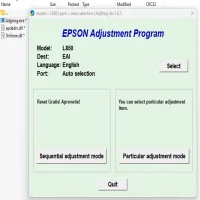
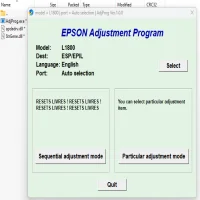
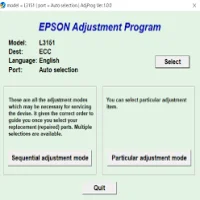
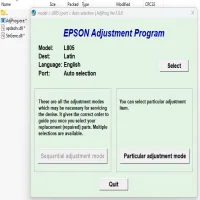
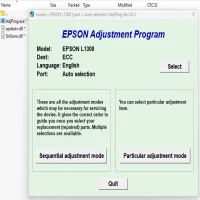
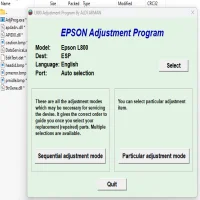
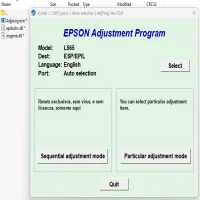
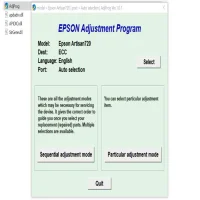
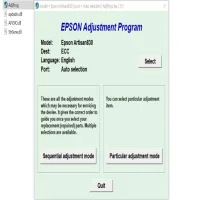
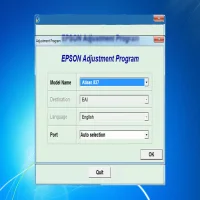
Select the Printer Model: From the main interface, select your printer model (Epson Artisan 700) from the drop-down list.
Choose the Function: Depending on the issue you're facing, select the appropriate function such as "Ink Pad Reset" or "Print Head Alignment." Follow the on-screen instructions carefully.
Execute the Adjustment: After selecting the task, click on the "Start" button to begin the adjustment process. Wait for the program to complete its task, and then restart your printer to apply the changes.
Check for Errors: Once the adjustment is complete, check the printer for any error messages or malfunction signs. If necessary, repeat the adjustment process.
Precautions While Using the Epson Artisan 700 Adjustment Program
Backup Your Printer Settings: Before making any adjustments, it’s always a good idea to backup your printer settings. This ensures that you can restore the settings to their original state if something goes wrong.
Use Trusted Sources: The Epson Artisan 700 Adjustment Program is not officially supported by Epson, so be sure to download it from trusted websites to avoid potential malware or software conflicts.
Handle with Care: The Adjustment Program modifies internal settings, so make sure to follow the instructions carefully. Incorrect adjustments can potentially cause damage to the printer.
Monitor Ink Levels: While the program helps with resetting ink pad and waste ink counters, it is essential to keep track of your ink levels. Regularly check ink levels to avoid running out mid-print.
Conclusion
The Epson Artisan 700 Adjustment Program is an invaluable tool for users who want to extend the life of their printer, maintain high-quality prints, and avoid costly repairs. By providing users with the ability to reset counters, align print heads, clean nozzles, and resolve error codes, the program ensures that your Epson Artisan 700 remains in top working condition. However, be sure to use the tool with care and from trusted sources to avoid potential risks. With the proper adjustments, you can continue to enjoy exceptional print quality and reliability from your Epson printer for years to come.
Rate the App
User Reviews





Popular Apps